Python语言规范之Pylint的详细用法
pylint是一个Python源代码中查找bug的工具,能找出错误,和代码规范的运行。也就是你的代码有Error错误的时候能找出来错误,没有错误的时候,能根据Python代码规范给你建议修改代码,让代码变更美观。
2、安装pylintpip3 install pylint3、查找pylint的安装地址
$ which pylint/Library/Frameworks/Python.framework/Versions/3.9/bin/pylint4、Pycharm使用Pylint工具
1)Pycharm --> Preferences --> Tools --> External Tools --> +
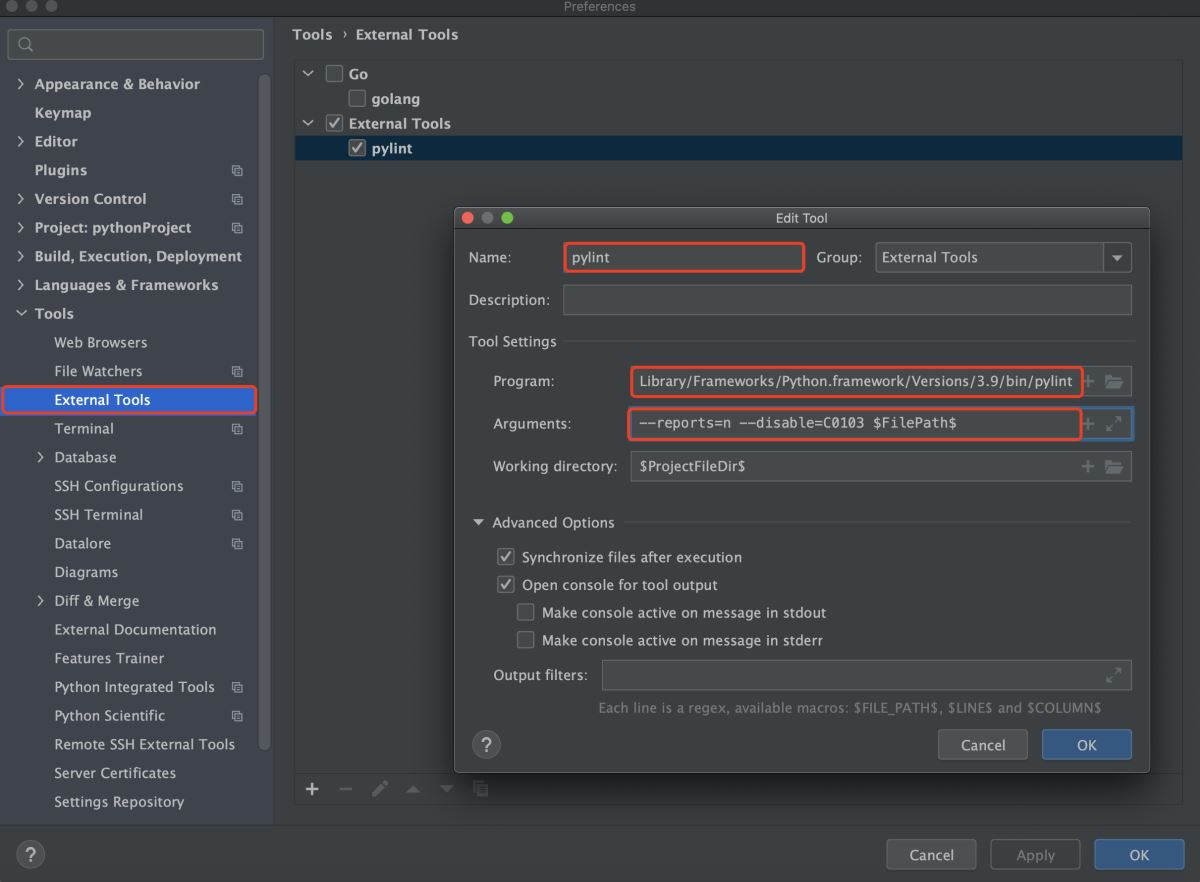
Program:pylint的地址,可以通过which pylint找到地址Arguments:pylint运行的参数2)使用
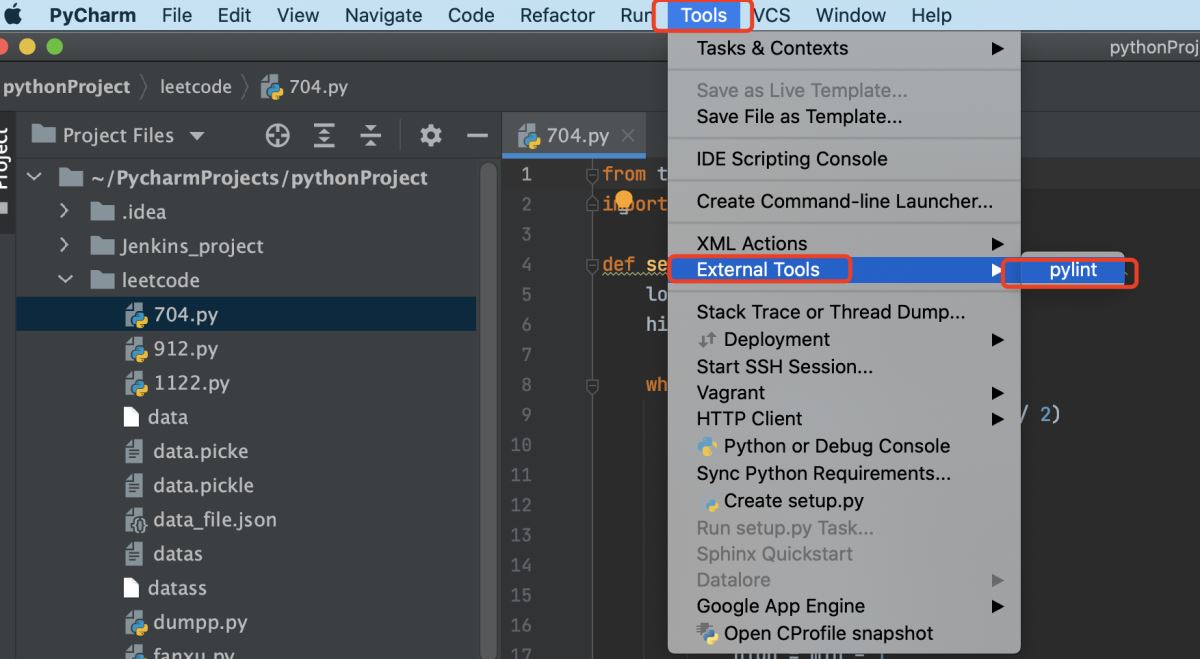
3)得到的结果
************* Module 704leetcode/704.py:28:0: C0305: Trailing newlines (trailing-newlines) #文尾有多余的行leetcode/704.py:1:0: C0114: Missing module docstring (missing-module-docstring) # 脚本首行没有添加注释leetcode/704.py:4:11: W0621: Redefining name ’nums’ from outer scope (line 23) (redefined-outer-name) #变量名字与函数参数名字不能一样leetcode/704.py:4:28: W0621: Redefining name ’target’ from outer scope (line 24) (redefined-outer-name) #变量名字与函数参数名字不能一样leetcode/704.py:4:0: C0116: Missing function or method docstring (missing-function-docstring) #函数缺少注释,注释要放在函数的第一行而不是def的上面5、pylint的5种信息类型
Output: Using the default text output, the message format is : MESSAGE_TYPE: LINE_NUM:[OBJECT:] MESSAGE There are 5 kind of message types : * (C) convention, for programming standard violation * (R) refactor, for bad code smell * (W) warning, for python specific problems * (E) error, for probable bugs in the code * (F) fatal, if an error occurred which prevented pylint from doing further processing.
* (C) 约定,用于违反编程标准
* (R) 重构,针对糟糕的代码味道
* (W) 警告,针对 python 特定问题
* (E) 错误,用于代码中可能的错误
* (F) 致命的,如果发生错误导致 pylint 无法进行进一步处理。
6、更多的pylint信息1)可以通过命令行获取
pylint --list-msgs
2)官网
http://pylint.pycqa.org/en/latest/#
以上就是Python语言规范之Pylint的使用的详细内容,更多关于Python Pylint的使用的资料请关注好吧啦网其它相关文章!
相关文章:
 网公网安备
网公网安备