js实现简单日历效果
本文实例为大家分享了js实现简单日历效果的具体代码,供大家参考,具体内容如下
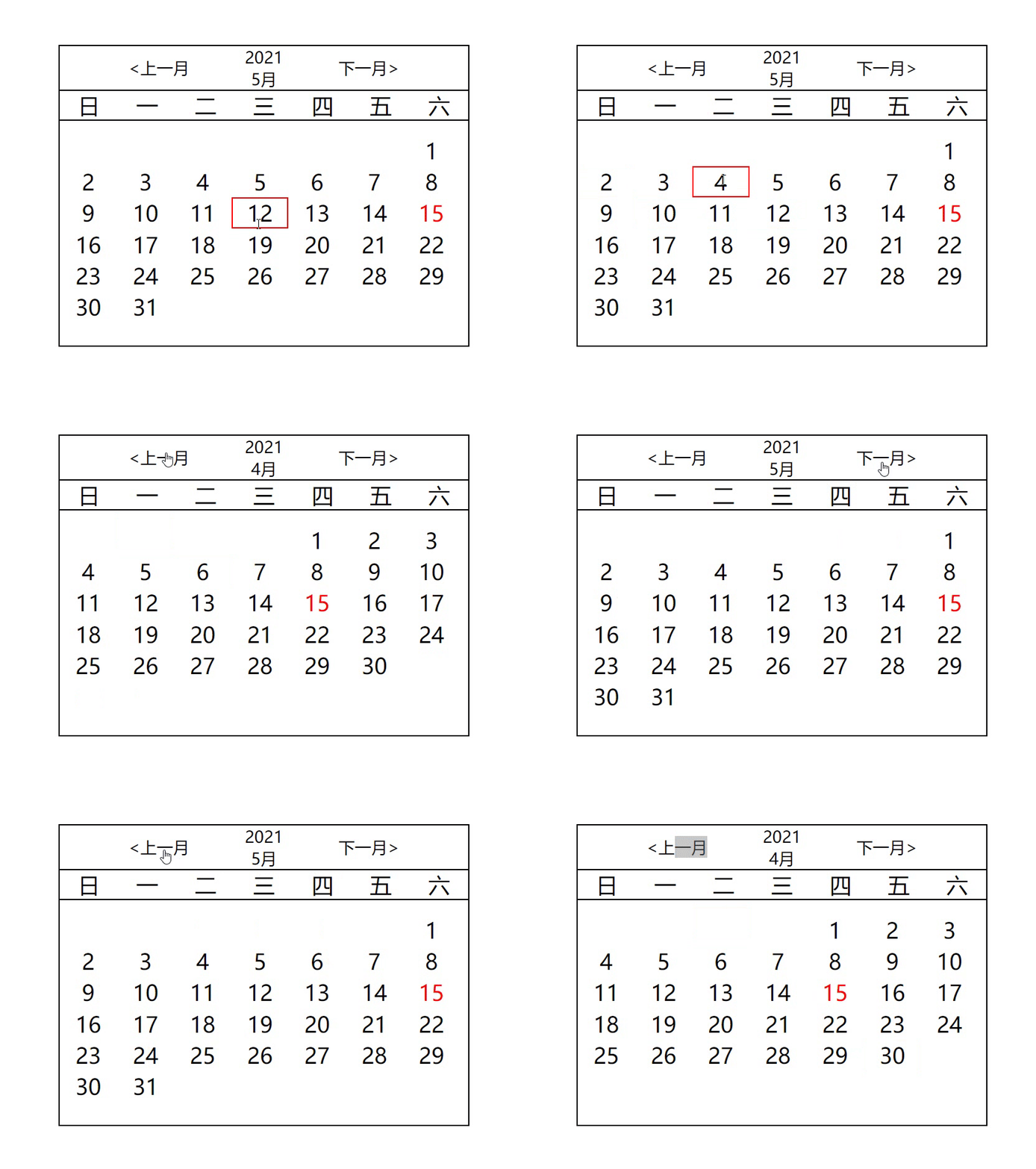
## css模块<style type='text/css'> *{ margin: 0; padding: 0; } .date{ width: 300px; height: 220px; border: 1px solid #000; margin: 100px auto; } .title{ width: 200px; display: flex; font-size: 12px; margin: auto; text-align: center; justify-content: space-around; align-items: center; } .year{ margin: 0 40px; display: flex; flex-direction: column; } #week{ border-top: 1px solid #000; border-bottom: 1px solid #000; margin: auto; list-style-type: none; display: flex; } #week li{ display: inline-block; text-align: center; flex:1; } #ul{ list-style-type: none; margin-top: 5px; } #ul li { display: inline-block; width: 40px; height: 21px; text-align: center; border: 1px solid #fff; } .current{ color:red; } #ul li:hover{ border: 1px solid red; } #prev,#next{ cursor: pointer; } </style>## html<div class='date'> <div class='title'> <span id='prev'><上一月</span> <div class='year'> <span id='year'>2021</span> <span id='month'>5月</span> </div> <span id='next'>下一月></span> </div> <!-- 用ul做日历 --> <ul id='week'> <li>日</li> <li>一</li> <li>二</li> <li>三</li> <li>四</li> <li>五</li> <li>六</li> </ul> <ul id='ul'> </ul></div>
## js代码<script type='text/javascript'> // date对象,方便切换月份,所以设置为全局对向 let date = new Date(); // 点击切换月份的事件 document.getElementById(’prev’).addEventListener(’click’,function(){ date.setMonth(date.getMonth()-1); add(); }) document.getElementById(’next’).addEventListener(’click’,function(){ date.setMonth(date.getMonth()+1); add(); }) add(); //制作日历的函数 function add(){ // 当前年 let cYear = date.getFullYear(); // 当前月 let cMonth = date.getMonth()+1; // 获取到当前日期 let cDay = date.getDate(); // 写入年月 document.getElementById(’year’).innerHTML = cYear; document.getElementById(’month’).innerHTML = cMonth+’月’; let days = new Date(cYear,cMonth,-1); // 当前月份的天数 let n = days.getDate()+1; // 每个月的第一天是星期几 let week = new Date(cYear,cMonth-1,1).getDay(); let html = ’’; // 写入dom for(let i=0;i<week;i++){ html+=`<li></li>` } for(let i=1;i<=n;i++){ if(i==cDay){ html+=`<li class='current'>${i}</li>` }else{ html+=`<li>${i}</li>` } } // 一次性插入 document.getElementById(’ul’).innerHTML = html }</script>
以上就是本文的全部内容,希望对大家的学习有所帮助,也希望大家多多支持好吧啦网。
相关文章:
 网公网安备
网公网安备