Python flask框架实现浏览器点击自定义跳转页面
代码如下
_init_.py
from flask import Flask, request, url_for, redirect, render_templateapp = Flask(__name__)@app.route(’/’)def index(): return render_template(’index.html’)@app.route(’/cool_form’, methods=[’GET’, ’POST’])def cool_form(): if request.method == ’POST’: # do stuff when the form is submitted # redirect to end the POST handling # the redirect can be to the same route or somewhere else return redirect(url_for(’index’)) # show the form, it wasn’t submitted return render_template(’cool_form.html’)
index.html
<!doctype html><html><body> <p><a href='https://www.haobala.com/bcjs/{{ url_for(’cool_form’) }}' rel='external nofollow' >Check out this cool form!</a></p></body></html>
cool_form.html
<!doctype html><html><body> <form method='post'> <button type='submit'>Do it!</button> </form></html>
运行结果

进入5000端口显示如图,点击这个按钮,跳到自定义的/cool_form页面

代码在github:https://github.com/qingnvsue/flask中的webbutton文件夹
在我的程序里我实现了在web页面点击加法器或者除法器按钮进入相应页面
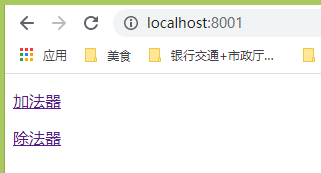
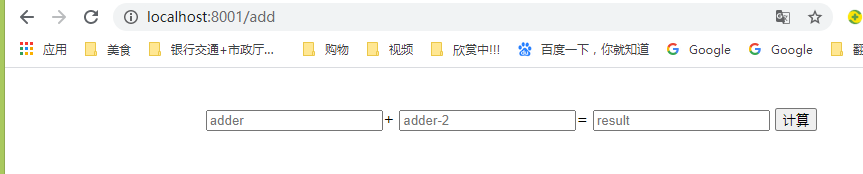

代码在github:https://github.com/qingnvsue/flask中的add文件夹
以上就是本文的全部内容,希望对大家的学习有所帮助,也希望大家多多支持好吧啦网。
相关文章:

 网公网安备
网公网安备