Python使用tkinter实现小时钟效果
本文实例为大家分享了Python使用tkinter实现小时钟效果的具体代码,供大家参考,具体内容如下
自己又调试了一下,分享一下
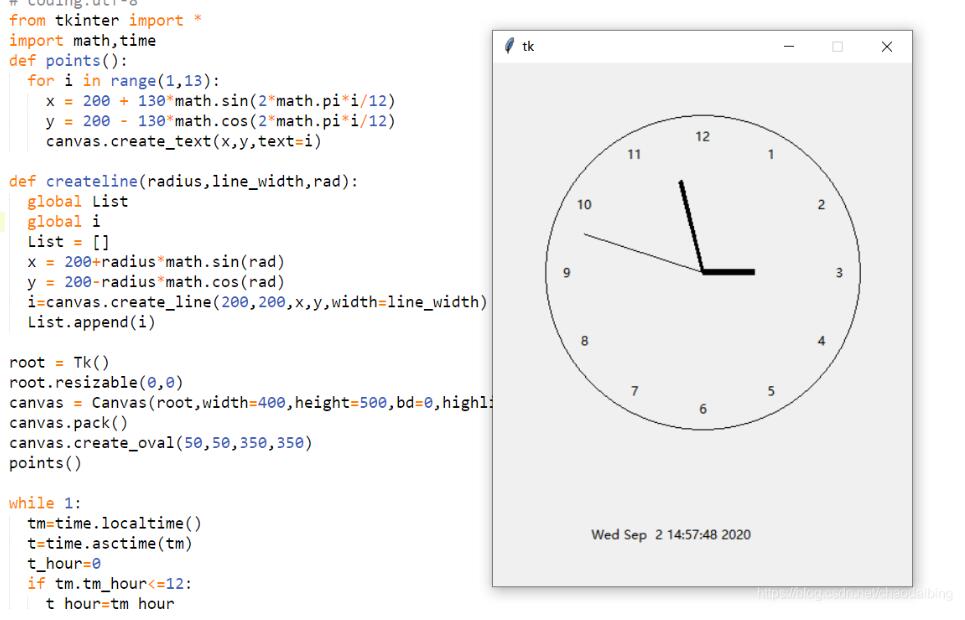
# coding:utf-8from tkinter import *import math,timedef points(): for i in range(1,13): x = 200 + 130*math.sin(2*math.pi*i/12) y = 200 - 130*math.cos(2*math.pi*i/12) canvas.create_text(x,y,text=i)def createline(radius,line_width,rad): global List global i List = [] x = 200+radius*math.sin(rad) y = 200-radius*math.cos(rad) i=canvas.create_line(200,200,x,y,width=line_width) List.append(i)root = Tk()root.resizable(0,0)canvas = Canvas(root,width=400,height=500,bd=0,highlightthickness=0)canvas.pack()canvas.create_oval(50,50,350,350)points()while 1: tm=time.localtime() t=time.asctime(tm) t_hour=0 if tm.tm_hour<=12: t_hour=tm_hour else: t_hour=tm.tm_hour-12 rad1=2*math.pi*(t_hour+tm.tm_min/60)/12 rad2=2*math.pi*(tm.tm_min+tm.tm_sec/60)/60 rad3=2*math.pi*tm.tm_sec/60 createline(50,6,rad1,) createline(90,3,rad2) createline(120,1,rad3) l=canvas.create_text(170,450,text=t) root.update() time.sleep(1) for item in List: canvas.delete(item) canvas.delete(l)root.update()mainloop()
效果
以上就是本文的全部内容,希望对大家的学习有所帮助,也希望大家多多支持好吧啦网。
相关文章:

 网公网安备
网公网安备