Win10如何自定义Alt-Tab界面边框的透明度?
Win10如何自定义Alt-Tab界面边框的透明度?Alt-Tab是切换窗口的快捷键,一些用户在Win10系统下使用Alt-Tab组合键切换窗口时,发现Alt-Tab界面边框的透明度不够,那么Alt-Tab界面边框的透明度要如何设置呢?别着急,下面小编给大家分享Win10自定义Alt-Tab界面边框透明度的操作方法。
Win10如何自定义Alt-Tab界面边框的透明度?
方法一:
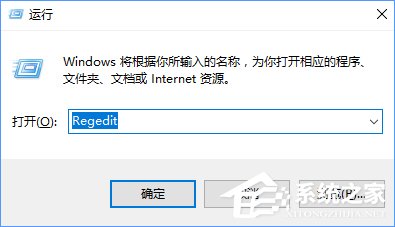
1、点击Windows+R组合键键,键入regedit,然后按Enter键;
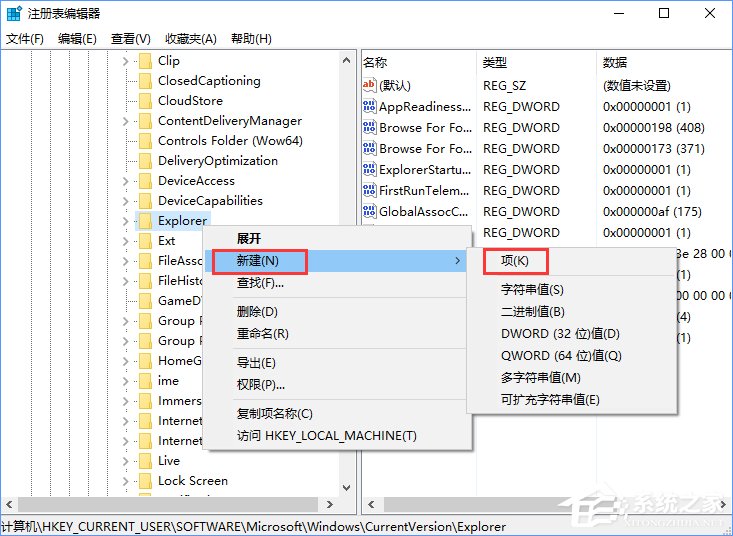
2、在左侧依次展开HKEY_CURRENT_USER SOFTWARE Microsoft Windows CurrentVersion Explorer,右键选择【新建】-【项】,将该名称命名为MultitaskingView;
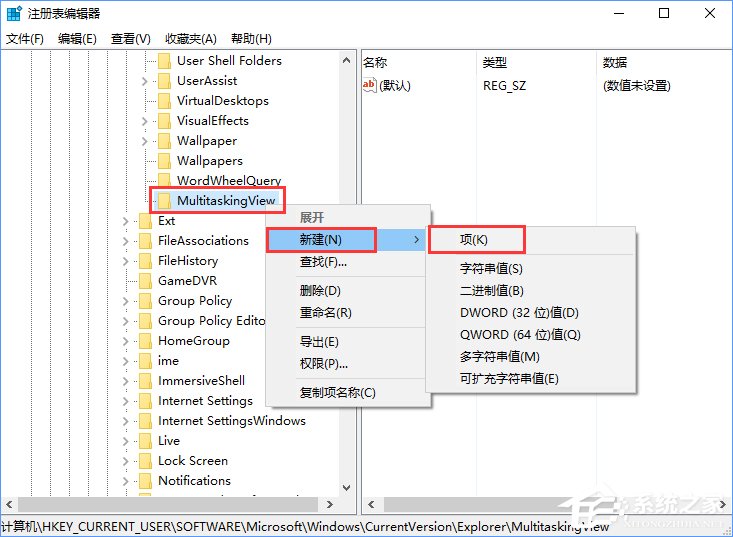
3、右键单击MultitaskingView,然后选择【新建】-【项】,将该项命名为AltTabViewHost;
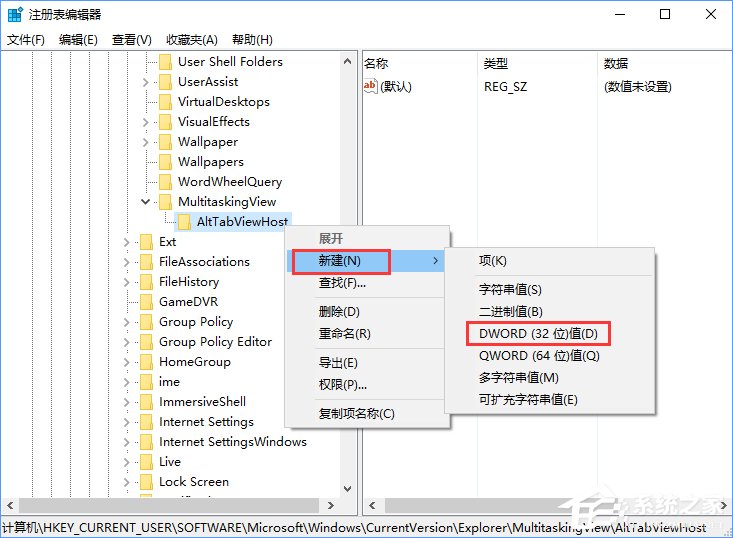
4、右键单击AltTabViewHost,然后选择新建》 Dword(32位)值,命名为:Grid_backgroundPercent ;
5、双击打开Grid_backgroundPercent,输入需要设置的透明度(以百分比设置值。 0表示100%透明度,100%无透明度。);
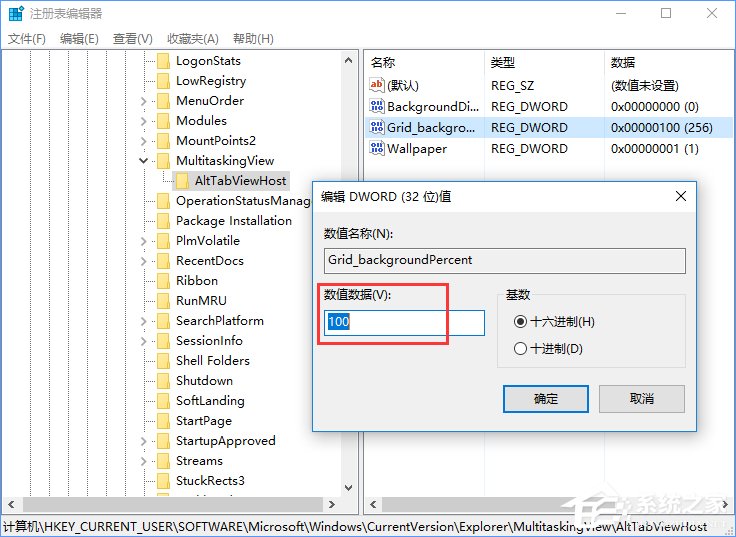
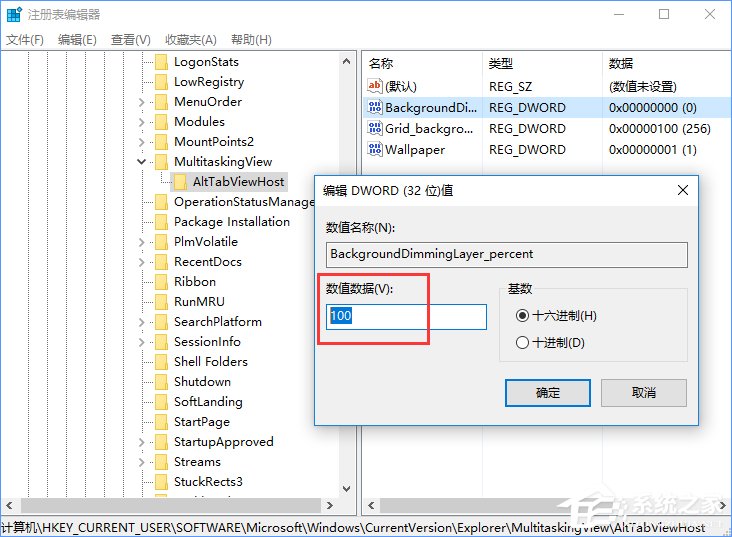
6、在AltTabViewHost上单击右键,然后选择新建》 Dword(32位)值,将其命名为BackgroundDimmingLayer_percent,以百分比设置值,100%为完全调光。
方法二:
1、直接将下面代码复制到记事本中;
01Windows Registry Editor Version 5.0002; Set transparency of Alt-Tab interface between 00000000 (full transparency) and 000000100 (no transparency)03[HKEY_CURRENT_USERSOFTWAREMicrosoftWindowsCurrentVersionExplorerMultitaskingViewAltTabViewHost]04"Grid_backgroundPercent"=dword:0000010005; Set whether windows are shown behind the Alt-Tab interface. 00000000 is no, 00000001 is yes06[HKEY_CURRENT_USERSOFTWAREMicrosoftWindowsCurrentVersionExplorerMultitaskingViewAltTabViewHost]07"Wallpaper"=dword:0000000108; Sets the dim percentage of the background, 00000000 is no dimming, 00000100 is full dimming09[HKEY_CURRENT_USERSOFTWAREMicrosoftWindowsCurrentVersionExplorerMultitaskingViewAltTabViewHost]10"BackgroundDimmingLayer_percent"=dword:000000100复制代码Windows Registry Editor Version 5.00; Set transparency of Alt-Tab interface between 00000000 (full transparency) and 000000100 (no transparency)[HKEY_CURRENT_USERSOFTWAREMicrosoftWindowsCurrentVersionExplorerMultitaskingViewAltTabViewHost]"Grid_backgroundPercent"=dword:00000100; Set whether windows are shown behind the Alt-Tab interface. 00000000 is no, 00000001 is yes[HKEY_CURRENT_USERSOFTWAREMicrosoftWindowsCurrentVersionExplorerMultitaskingViewAltTabViewHost]"Wallpaper"=dword:00000001; Sets the dim percentage of the background, 00000000 is no dimming, 00000100 is full dimming[HKEY_CURRENT_USERSOFTWAREMicrosoftWindowsCurrentVersionExplorerMultitaskingViewAltTabViewHost]"BackgroundDimmingLayer_percent"=dword:000000100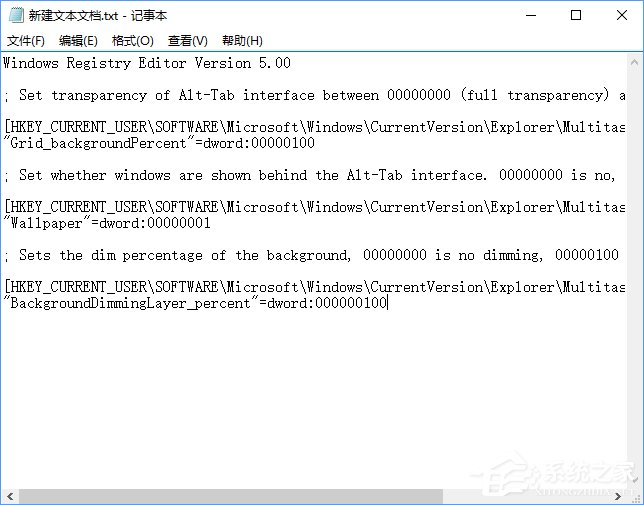
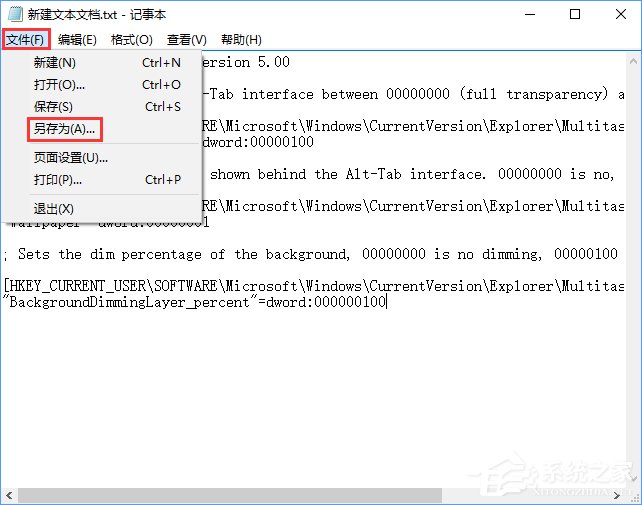
2、点击记事本左上角的“文件”,在下拉菜单中选择“另存为”;
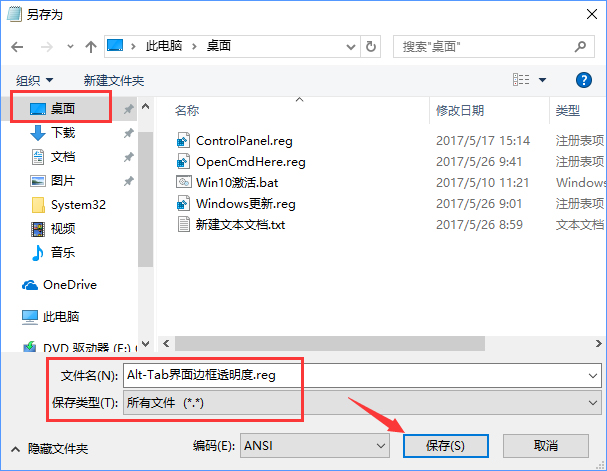
3、、在打开的另存为窗口,先点击窗口左侧的“桌面”,然后在在文件名(N)栏中输入“Alt-Tab界面边框透明度.reg ”,再点击“保存”;
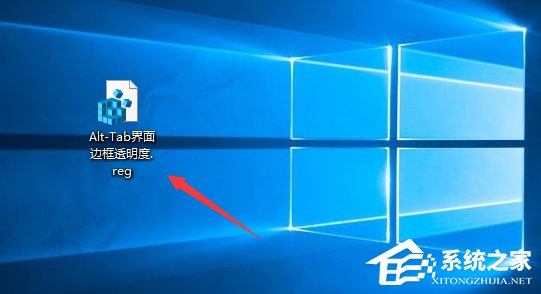
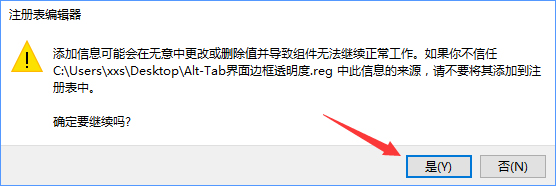
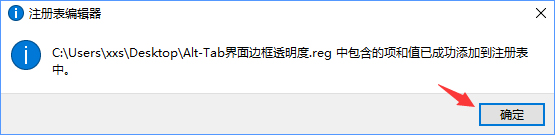
4、双击Alt-Tab界面边框的透明度.reg文件 ,导入注册表即可。
以上就是Win10自定义Alt-Tab界面边框透明度的两种方法,大家可以选择其中一种方法进行设置,希望该教程可以帮助到大家。
相关文章:
1. 统信UOS怎么导出用户新增字体? 统信UOS字体导出技巧2. Win7如何转移临时文件来扩大C盘空间?Win7通过转移临时文件来扩大C盘空间教程3. Win10系统Bitlocker密码遗忘怎么办?Bitlocker密码遗忘解决教程4. Win11安卓子系统安装失败5. Win10怎么更新Flash到最新版本?Win10更新Flash到最新版本方法6. 重装系统如何保留正版Win10和Office软件?7. Win10连接网络打印机错误709 安装KB5006672补丁打印机错误7098. Win11系统的“此电脑”不见了怎么解决?9. Win7重装系统后插耳机没声音怎么办?电脑插耳机没声音解决教程10. Win10系统hyper-v与vmware不兼容怎么办?
 网公网安备
网公网安备