文章详情页
Win7 steam错误代码103的解决方法
浏览:207日期:2022-09-24 18:51:36
电脑弹出错误代码103是什么意思?近期steam出现了登入时弹出错误代码103的问题,这让很多用户们都摸不着头脑,不知道是哪里的出错了,其实错误代码103有时并非是软件问题所导致,而是网络出错所导致的,下面由小编给大家带来错误代码103的解决方法。
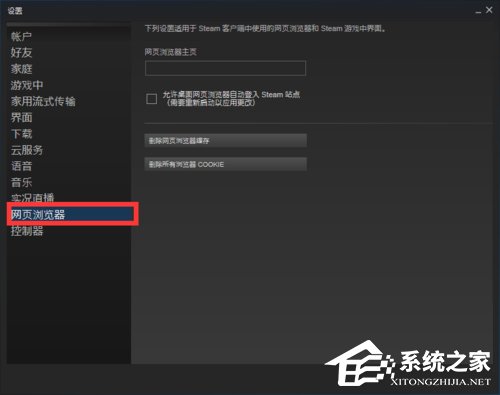
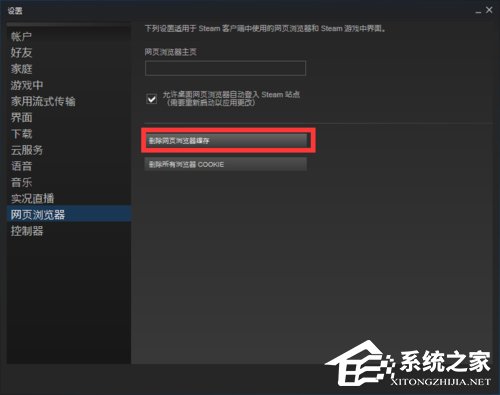
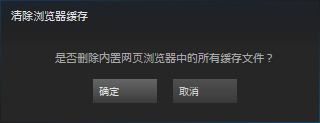
第一步:打开steam的设置界面,选择“网页浏览器”然后点击“删除浏览器缓存”。近期的steam错误代码103直接查看steam错误代码118第一步,即可解决问题。
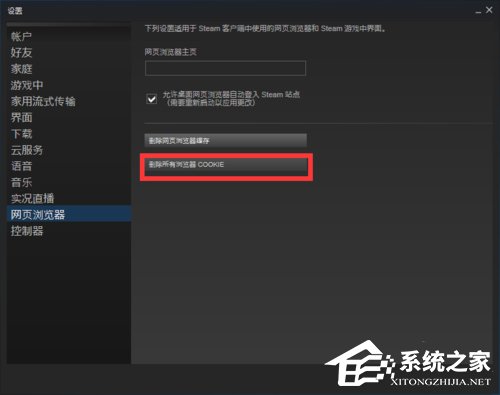
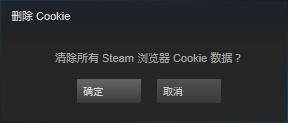
第二步:清理完浏览器缓存后选择“删除所有浏览器COOKIE”。
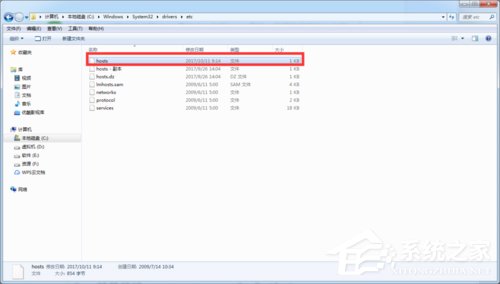
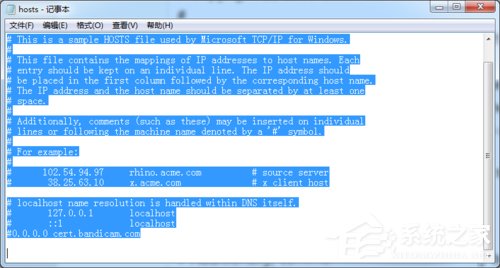
第三步:打开电脑内的Hosts文件夹,打开Hosts文件,然后在里面输入以下内容。
01# Copyright (c) 1993-2009 Microsoft Corp.02#03# This is a sample HOSTS file used by Microsoft TCP/IP for Windows.04#05# This file contains the mappings of IP addresses to host names. Each06# entry should be kept on an individual line. The IP address should07# be placed in the first column followed by the corresponding host name.08# The IP address and the host name should be separated by at least one09# space.10#11# Additionally, comments (such as these) may be inserted on individual12# lines or following the machine name denoted by a '#' symbol.13#14# For example:15#16# 102.54.94.97 rhino.acme.com # source server17# 38.25.63.10 x.acme.com # x client host18# localhost name resolution is handled within DNS itself.19#127.0.0.1 localhost20#::1 localhost21Hosts文件目录:C:WindowsSystem32driversetc复制代码# Copyright (c) 1993-2009 Microsoft Corp.## This is a sample HOSTS file used by Microsoft TCP/IP for Windows.## This file contains the mappings of IP addresses to host names. Each# entry should be kept on an individual line. The IP address should# be placed in the first column followed by the corresponding host name.# The IP address and the host name should be separated by at least one# space.## Additionally, comments (such as these) may be inserted on individual# lines or following the machine name denoted by a '#' symbol.## For example:## 102.54.94.97 rhino.acme.com # source server# 38.25.63.10 x.acme.com # x client host# localhost name resolution is handled within DNS itself.#127.0.0.1 localhost#::1 localhostHosts文件目录:C:WindowsSystem32driversetc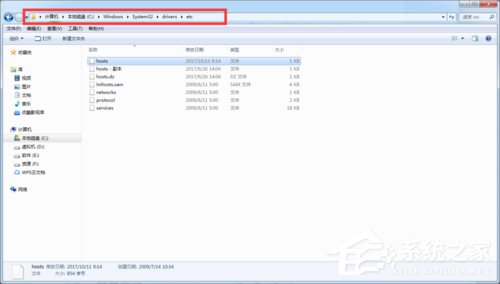
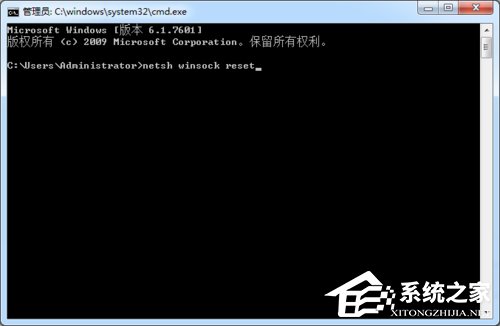
第四步:重置LSP具体操作详情,请参考下方地址。
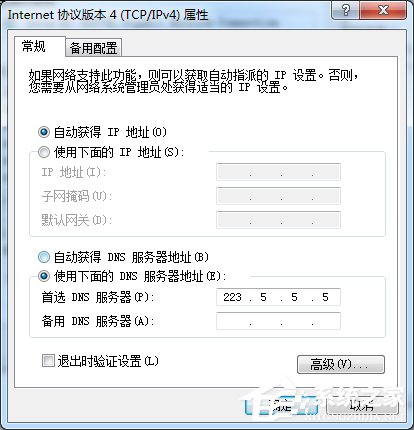
第五步:重置或者设置固定当前DNS,当然也可以自动获取,因为各地运营商对网络的限制要求级别不一样,所以我们要选择一个适合自己的DNS地址。
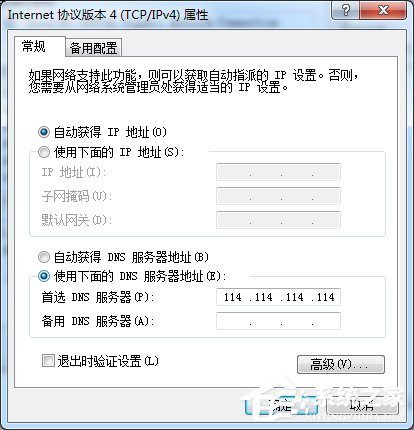
按照上述步骤操作后就能解决错误代码103的问题,遇到问题一一排除,才是最快的解决方法。
相关文章:
1. Win10进不了系统怎么进入安全模式2. 怎么使用光碟重装Win7电脑操作系统?3. mac如何设置鼠标快捷键? mac设置快捷鼠标操作的技巧4. x58主板是否支持Windows11系统 x58主板是否支持Windows11详情5. Win10电脑任务栏右下角图标重叠怎么分开?6. Win10无法访问192.168怎么办?Windows无法访问192.168解决教程7. Win7笔记本电脑怎么关闭触摸板?8. 微软Win10系统升级助手怎么用?微软Win10升级工具在哪里下载?9. deepinv20 linux怎么修改文件后缀? Linux系统修改文件后缀名的技巧10. Win11更新失败提示错误0x80070003怎么解决?
排行榜
 网公网安备
网公网安备